Stuff I can use :)
https://www.theladders.com/p/21217/fbi-behavior-expert-like-trust
Monday, May 29, 2017

Wednesday, May 17, 2017
The Underwhelming Genius of Guido van Rossum
or whoever coded the regex engine.. Why can't they just try to be as good as Perl?
re.match( pat, string)
pat = '('
gets :
error: error( 'u...thesis',)
WT*? Have these guys never heard of abort, retry, fail?
re.match( pat, string)
pat = '('
gets :
error: error( 'u...thesis',)
WT*? Have these guys never heard of abort, retry, fail?
Thursday, May 04, 2017
Microsoft Excel : How to Put Thumbs Up Down Symbols
Does it involve conditional formatting? YES
Is this super easy? NO - it's EASY but not SUPER easy - you unfortunately have to jump through a couple of hoops. You would think they would have included Thumbs Up and Thumbs Down in their Icon Sets, but, that's M$ for you :)
========================================
1. The column of interest - you will have to enter capital C where you want the Thumps Up, Capital D for Thumbs Down - no way around this.
2. In the top-most cell, enter a C and change the font from the default to Wingdings. You'll see the C change to a Thumps Up.
3. Make it bold and Green font if you wish and change the font size if you wish. Done? Drag through all rows
4. Now, with all rows of this column selected, assuming the top-most (not header) cell is E3, go to Conditional Formatting and choose New Rule

5. Now, enter this formula (adjust the E3 to what it needs to be in your case - the coordinates of the top-most data cell in your table)

6. Set the Format to what you need - probably Red since Green would be for Thumbs Up.
That's it, enjoy..
Thursday, April 27, 2017
Alan Skorkin's Treasure Trove (Bash Shortcuts)
http://www.skorks.com/2009/09/bash-shortcuts-for-maximum-productivity/
The ones I didn't know about :
Ctrl + k - delete from cursor to end of command line
Ctrl + u - delete from cursor to start of command line
Ctrl + w - delete backwards one word
Ctrl + y - paste text victimized by most recent deletion
Ctrl + xx - move between start of command line and current cursor position
Alt + b/f - back/forward one word
Alt + d - delete to end of word
Alt + c - capitalize start of word and go to end of word
Alt + u - make uppercase from cursor to end of word
Alt + l - make lowercase from cursor to end of word
Alt + t - swap current word with previous (SO COOL!)
Alt + . - insert last word of previous command
!blah:p - print out the command that !blah would run and add it to history
!* - previous command except for the FIRST word (even geniuses get it wrong sometimes :)
!!:s/foo/bar - execute previous command by replacing foo with bar
And, nuggets from Linux Foundation's EDX course : http://tersamgt.blogspot.com/2015/01/almost-20-years-with-unix-mann-kann.html
The ones I didn't know about :
Ctrl + k - delete from cursor to end of command line
Ctrl + u - delete from cursor to start of command line
Ctrl + w - delete backwards one word
Ctrl + y - paste text victimized by most recent deletion
Ctrl + xx - move between start of command line and current cursor position
Alt + b/f - back/forward one word
Alt + d - delete to end of word
Alt + c - capitalize start of word and go to end of word
Alt + u - make uppercase from cursor to end of word
Alt + l - make lowercase from cursor to end of word
Alt + t - swap current word with previous (SO COOL!)
Alt + . - insert last word of previous command
!blah:p - print out the command that !blah would run and add it to history
!* - previous command except for the FIRST word (even geniuses get it wrong sometimes :)
!!:s/foo/bar - execute previous command by replacing foo with bar
And, nuggets from Linux Foundation's EDX course : http://tersamgt.blogspot.com/2015/01/almost-20-years-with-unix-mann-kann.html
Wednesday, April 26, 2017
Life's Tough : Out of the Blue Git-bash Can't Find Python
Must be ransomware. Just like that PC turns off last night and now, can't get Python action in Git bash. What gives?
All history gone too.. scary
All history gone too.. scary
Thursday, April 20, 2017
The Kofman Gap
Nice :
Conscious employees take responsibility for their life. They don't compromise human values for material success. They speak the truth and listen to others’ truth with honesty and respect. They look for Creative Solutions to disagreements and honor their commitments impeccably. They are in touch with their emotions and express them productively.
Unconscious employees do the opposite. They blame others for problems, seek immediate gratification regardless of ethics and claim to be always right. They hide significant information, sweep conflicts under the table and negotiate to beat their opponents. They expect to get what they need without asking, make irresponsible promises and don't honor their commitments. They repress their emotions or explode irrationally.
Conscious employees require conscious managers if they are to fully commit their energy to organizational goals. Unless they feel acknowledged, supported, and challenged by their managers, conscious employees will withdraw.
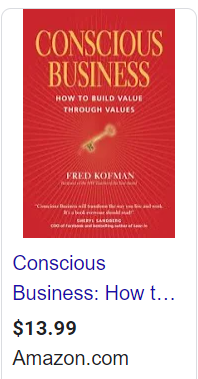
Conscious employees take responsibility for their life. They don't compromise human values for material success. They speak the truth and listen to others’ truth with honesty and respect. They look for Creative Solutions to disagreements and honor their commitments impeccably. They are in touch with their emotions and express them productively.
Unconscious employees do the opposite. They blame others for problems, seek immediate gratification regardless of ethics and claim to be always right. They hide significant information, sweep conflicts under the table and negotiate to beat their opponents. They expect to get what they need without asking, make irresponsible promises and don't honor their commitments. They repress their emotions or explode irrationally.
-- couldn't have put it better.
Not nice :
How to deal with unconscious employees? How do you push them out in a nice way?
Thursday, April 13, 2017
Daily Learning :) Cool Websites
- 10-minute-email - when you need something just to subscribe to something :)
- Madeon's Adventure Machine - make your own techno!
- Camel Camel Camel - AMZN price history
- Hacker typer - impress friends :) ( a prank )
- Hike Mt. Everest in 3D
- Down for everyone (a website) or just me?
Friday, April 07, 2017
Gems from Ashlee Vance
Musk has taken industries like aerospace and automotive that America seemed to have given up on and recast them as something new and fantastic. At the heart of this transformation are Musk's skills as a software maker and his ability to apply them to machines. He's merged atoms and bits in ways that few people thought possible, and the results have been spectacular.
Okay, I thought that was good, until I read :
(oh, thanks to Omkar Pawaskar, you can read for free without Vance getting richer :) :
While Musk had exceled as a self-taught coder, his skills weren’tnearly as polished as those of the new hires. They took one look atZip2’s code and began rewriting the vast majority of the software.Musk bristled at some of their changes, but the computer scientistsneeded just a fraction of the lines of code that Musk used to get their jobs done. They had a knack for dividing software projects intochunks that could be altered and refined whereas Musk fell into theclassic self-taught coder trap of writing what developers callhairballs—big, monolithic hunks of code that could go berserk formysterious reasons.
Okay, I thought that was good, until I read :
(oh, thanks to Omkar Pawaskar, you can read for free without Vance getting richer :) :
While Musk had exceled as a self-taught coder, his skills weren’tnearly as polished as those of the new hires. They took one look atZip2’s code and began rewriting the vast majority of the software.Musk bristled at some of their changes, but the computer scientistsneeded just a fraction of the lines of code that Musk used to get their jobs done. They had a knack for dividing software projects intochunks that could be altered and refined whereas Musk fell into theclassic self-taught coder trap of writing what developers callhairballs—big, monolithic hunks of code that could go berserk formysterious reasons.
Sunday, March 26, 2017
Handy Perl for Tax Time
Convert
1/15/15 Bought 10 MXL MAXLINEAR INC $14.38 4.95 164.2
1/2/16 Bought 60 MXL MAXLINEAR INC $14.38 4.95 724
3/2/2016 Sold -52 MXL MAXLINEAR INC $17.14 4.95 $0.03 $886.31
to
3/2/2016 MXL 70 886.31 various 888.2
You'll generate a bunch of these I hope and later put the column headings on - in Excel :
sell-date, ticker, quantity, proceeds, buy-date, cost-basis...... profit/loss easy to do in Excel..
Use :
#!/usr/bin/perl -w
open( INFO, "$source");
$cost = 0;
$sale = 0;
$qty = 0;
$buy_d = '';
while( ){
/^\s*(\S+)\s+(\S+)\D+(\d+)\s+(\S+).+\s+\(?\$?([^\s)]+)\)?\h*\r?$/; $type = $2; $date = $1; $q = $3; $tick = $4; $total = $5; $total =~ s/,//g; if( $type =~ /bought/i ){ $qty += $q; $cost += abs( $total ); unless( 'various' eq $buy_d ){ if( '' eq $buy_d ){ $buy_d = $date; } else{ $buy_d = 'various'; } } } else { $sale += abs( $total ); $sell_d = $date;
$sell_q = $q;
The astute reader will notice that I'm dumping a CSV line - so you could just pipe through perl -p -e 's/,/ /g;' - which will of course mess up the original - but who cares :) CSV's are more useful in Excel..
1/15/15 Bought 10 MXL MAXLINEAR INC $14.38 4.95 164.2
1/2/16 Bought 60 MXL MAXLINEAR INC $14.38 4.95 724
3/2/2016 Sold -52 MXL MAXLINEAR INC $17.14 4.95 $0.03 $886.31
to
3/2/2016 MXL 70 886.31 various 888.2
You'll generate a bunch of these I hope and later put the column headings on - in Excel :
sell-date, ticker, quantity, proceeds, buy-date, cost-basis...... profit/loss easy to do in Excel..
Use :
#!/usr/bin/perl -w
open( INFO, "$source");
$cost = 0;
$sale = 0;
$qty = 0;
$buy_d = '';
while(
/^\s*(\S+)\s+(\S+)\D+(\d+)\s+(\S+).+\s+\(?\$?([^\s)]+)\)?\h*\r?$/; $type = $2; $date = $1; $q = $3; $tick = $4; $total = $5; $total =~ s/,//g; if( $type =~ /bought/i ){ $qty += $q; $cost += abs( $total ); unless( 'various' eq $buy_d ){ if( '' eq $buy_d ){ $buy_d = $date; } else{ $buy_d = 'various'; } } } else { $sale += abs( $total ); $sell_d = $date;
$sell_q = $q;
}
print;
}
$cost = $cost*$sell_q/$qty;
print "\n$sell_d,$tick,$sell_q,$sale,$buy_d,$cost\n";The astute reader will notice that I'm dumping a CSV line - so you could just pipe through perl -p -e 's/,/ /g;' - which will of course mess up the original - but who cares :) CSV's are more useful in Excel..
Saturday, March 25, 2017
Python is Crap Compared to Perl
When it comes to text processing.
Okay, this is a known fact. Question - why hasn't this gotten more attention?
How would you do this?
string : "Mary had a little lamb1" --> "Mary had1 a little lamb" . Okay, a lame example - I want to append a 1 after a d or a b. In perl, it's as simple as s/([db])/${1}1/g . What is it in Python????
Here's a guy who barely scratches the surface. A valiant attempt though .. better half a loaf.
What is the equivalent of using curly braces for variable names within interpolated strings?????
Anyways, here's one way of accomplishing this particular task (Thanks!) :
re.sub( r"(?P)[db])" , r"\g1" , myString )
Enjoy..
Okay, this is a known fact. Question - why hasn't this gotten more attention?
How would you do this?
string : "Mary had a little lamb1" --> "Mary had1 a little lamb" . Okay, a lame example - I want to append a 1 after a d or a b. In perl, it's as simple as s/([db])/${1}1/g . What is it in Python????
Here's a guy who barely scratches the surface. A valiant attempt though .. better half a loaf.
What is the equivalent of using curly braces for variable names within interpolated strings?????
Anyways, here's one way of accomplishing this particular task (Thanks!) :
re.sub( r"(?P
Enjoy..
Subscribe to:
Posts (Atom)